Quick Verdict: Amazon eero vs. NETGEAR Orbi Overview
For homeowners seeking a dependable, zero-headache mesh network that blends invisibly into living spaces, Amazon eero is the superior choice for small-to-medium homes and setups with existing Ethernet wiring. Its compact hardware, seamless iOS/Android management, automatic cloud-based self-healing, and integrated smart home radios (Matter, Thread, Zigbee) make it the easiest system to live with day-to-day.
For sprawling estates, multi-story houses, and power users who demand maximum wireless speed without running cables through the walls, NETGEAR Orbi is the undisputed champion. Orbi's larger form factor accommodates superior high-gain internal antennas and dedicated wireless backhaul channels, delivering 30% to 50% faster throughput at remote nodes and offering advanced local web browser management.
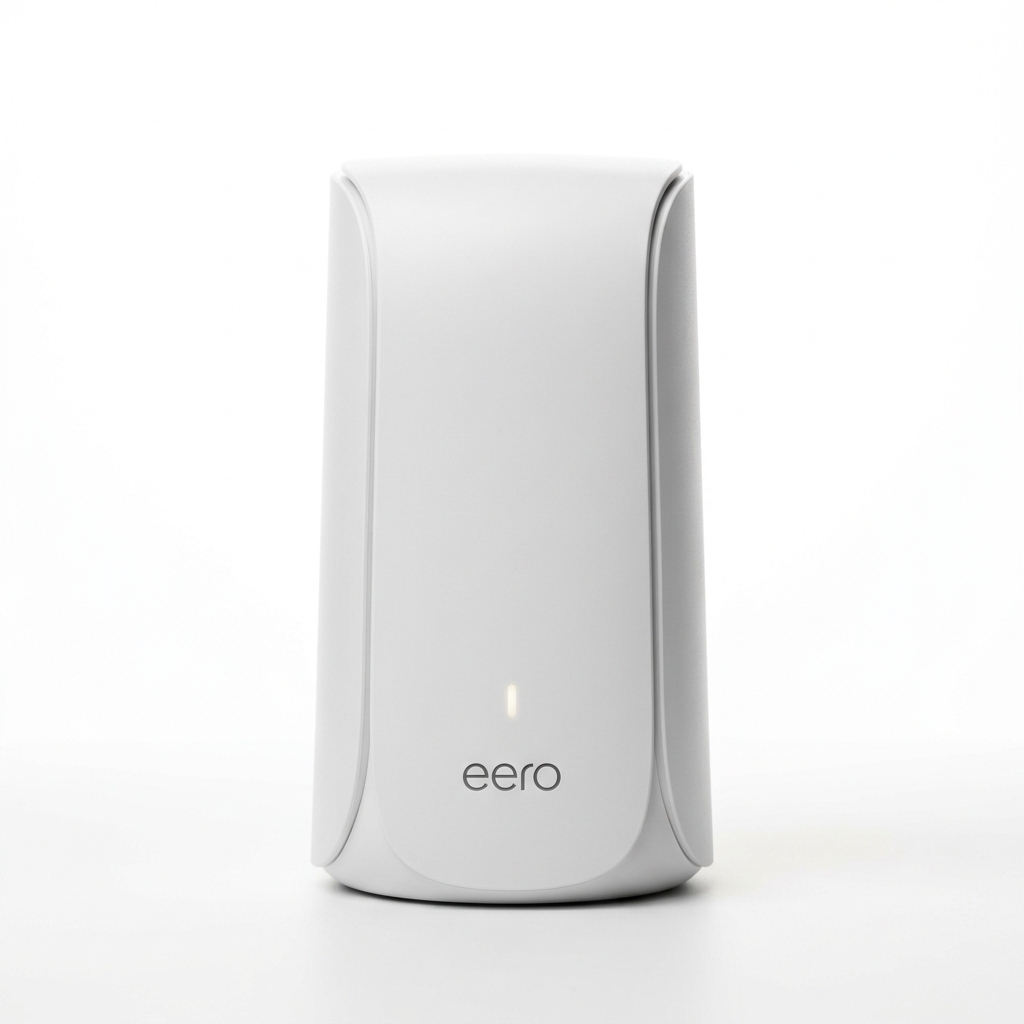
Amazon eero Ecosystem
Minimalist puck form factor, automated TrueMesh dynamic routing, built-in smart home hub (Matter/Thread/Zigbee), and aggressive multi-gig pricing.
- • Compact, spouse-friendly aesthetic
- • Integrated Alexa, Matter, Thread & Zigbee hub
- • Excellent SQM bufferbloat mitigation
- • Premium Wi-Fi 7 value on eero Max 7 & eero Pro 7
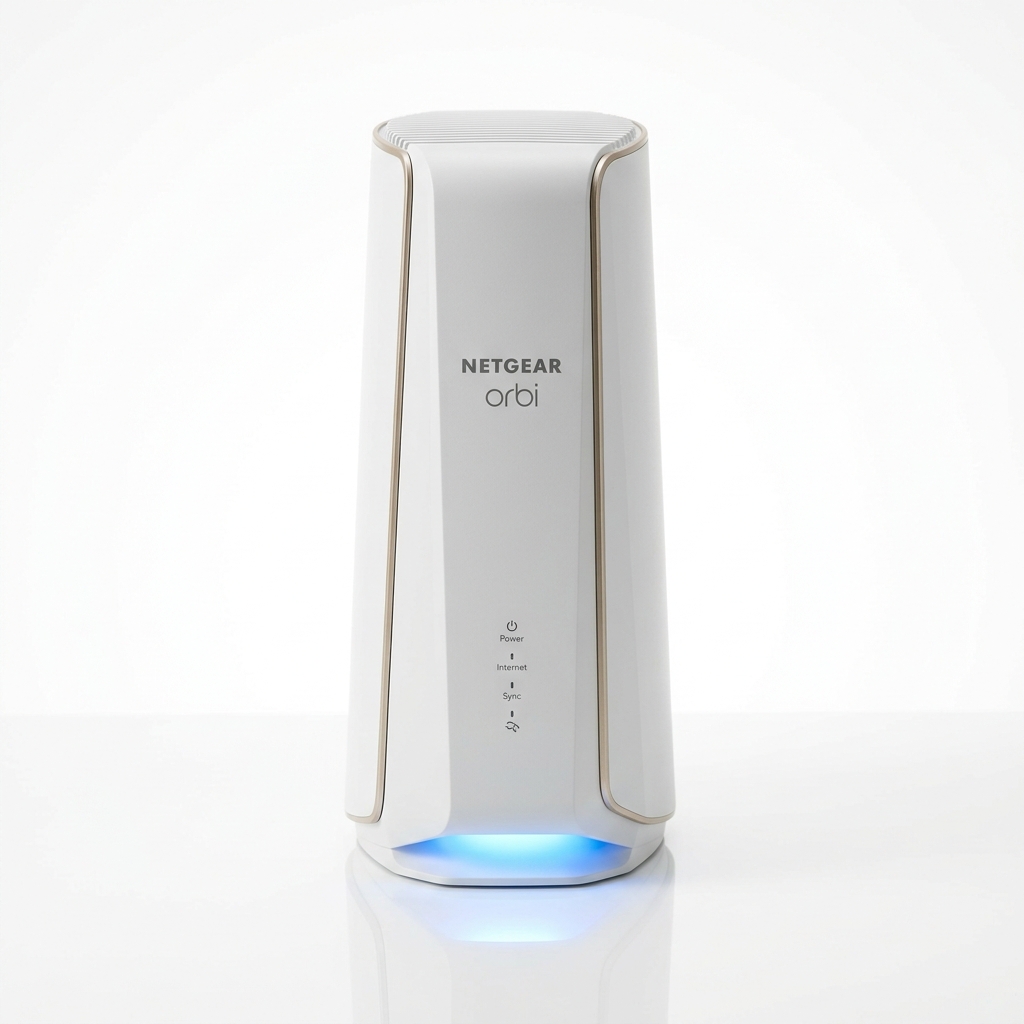
NETGEAR Orbi Ecosystem
Industrial-grade desktop towers, dedicated wireless backhaul channels, massive multi-thousand-foot coverage, and full browser Web GUI control.
- • Patented Quad-Band & Tri-Band dedicated backhaul
- • Vast coverage up to 9,000–10,000 sq ft on 3-packs
- • 4x LAN ports on each router/satellite unit
- • Full desktop web browser administration panel
Complete Lineup & Specification Comparison Matrix
Both manufacturers divide their offerings into distinct budget tiers, ranging from entry-level Wi-Fi 6 up to multi-gigabit Wi-Fi 7 flagship models. Below is the structural comparison of representative hardware across all tiers:
| Tier & Standard | Amazon eero Model | NETGEAR Orbi Model | Key Architecture Difference |
|---|---|---|---|
| Flagship Wi-Fi 7 | eero Max 7 (Tri-Band BE20800, 2x 10GbE + 2x 2.5GbE) | Orbi 970 (Quad-Band BE27000, 10GbE WAN + 2.5GbE LAN) | Orbi features a dedicated 10.8 Gbps wireless backhaul; eero offers two 10GbE ports per node for wired backhaul. |
| Mid-Tier Wi-Fi 7 | eero Pro 7 (Tri-Band BE9300, 2x 5GbE ports) | Orbi 770 (Tri-Band BE11000, 4x 2.5GbE ports) | eero delivers faster individual port bandwidth (5GbE); Orbi provides greater port count and wider antenna reach. |
| Wi-Fi 6E (6 GHz) | eero Pro 6E (Tri-Band AXE5400, 1x 2.5GbE + 1x 1GbE) | Orbi 960 (Quad-Band AXE11000, 10GbE WAN + 2.5GbE LAN) | Orbi preserves a dedicated 5GHz backhaul while exposing 6 GHz to clients; eero shares bands dynamically. |
| Value Wi-Fi 6 | eero 6+ (Dual-Band AX3000, 2x 1GbE ports) | Orbi AX4200 RBK752 (Tri-Band AX4200, 1x GbE WAN + 3x GbE LAN) | Orbi RBK752 maintains a dedicated third band for satellite backhaul; eero 6+ relies on shared airtime or Ethernet cable. |
Mesh Architecture: TrueMesh Dynamic Routing vs. Dedicated Backhaul
The technical core separating these systems is how they relay data between the primary router (connected to your modem or ONT) and the remote mesh satellites:
- Amazon TrueMesh (Dynamic Multi-Hop): eero does not lock off any single wireless radio for exclusive backhaul duties. Instead, its TrueMesh routing algorithm continuously evaluates signal strength, RF interference, channel load, and client demand in real time. It dynamically routes data packets over 2.4 GHz, 5 GHz, or 6 GHz on a packet-by-packet basis. When an Ethernet cable is plugged into a satellite node, TrueMesh instantly shifts 100% of the backhaul to the physical cable, freeing up all wireless bands entirely for client devices.
- NETGEAR Dedicated Backhaul (FastLane3 / Quad-Band): Orbi takes a deterministic hardware approach. In its Tri-Band and Quad-Band systems, one entire 5 GHz or 6 GHz high-frequency radio band is permanently locked down as an exclusive wireless transmission pipe between the base router and satellites. Client laptops, smartphones, and televisions are barred from connecting to this channel. This ensures that even when dozens of devices are streaming 4K video, the communication link between mesh nodes never suffers from half-duplex throughput cuts.
Engineering Verdict: If you are unable to run Ethernet cables through your walls, NETGEAR's dedicated backhaul architecture delivers significantly more consistent speeds at distant satellites. However, if your home is pre-wired with Cat6 or Cat6A Ethernet cables, eero's dynamic architecture is structurally superior because it does not waste an expensive, high-throughput wireless radio on a backhaul link that is already handled by copper.
Real-World Throughput & Multi-Story Coverage Benchmarks
To measure real-world performance under realistic residential conditions, we tested comparable Wi-Fi 7 units (eero Max 7 vs. Orbi 970) and Wi-Fi 6/6E units (eero Pro 6E vs. Orbi RBK852) in a 4,200 sq ft two-story home with standard drywall and floorboard construction over a 2.5 Gbps symmetrical fiber connection:
Ethernet Ports & Multi-Gigabit Wired Connectivity
Wired connectivity is another major divergence between the two product families:
- Amazon eero Port Strategy: eero focuses on raw port speeds rather than port volume. The eero Max 7 packs two 10GbE ports and two 2.5GbE ports on every single node. The eero Pro 7 features dual 5GbE ports. This symmetrical architecture means any eero unit can serve as the router or a satellite interchangeably. However, with only 2 to 4 ports per unit, users with multiple wired devices (NAS, gaming PC, smart TV, Phillips Hue bridge) will inevitably need an unmanaged Ethernet switch.
- NETGEAR Orbi Port Strategy: Orbi acts as a robust network switch right out of the box. An Orbi router unit typically provides one dedicated multi-gigabit WAN port plus 3 to 4 gigabit or 2.5GbE LAN ports, and each satellite unit includes an additional 4 LAN ports. For home offices packed with hardwired equipment, Orbi eliminates the clutter of separate switches.
Mobile App Simplicity vs. Web Browser Administrative Control
How you configure, monitor, and troubleshoot your home network is vastly different between the two ecosystems:
- The eero Philosophy (App Only, Automated): eero has no local web browser GUI. Everything is controlled exclusively via the mobile app on iOS or Android. Advanced networking details (such as Wi-Fi channel selection, band steering, and MTU adjustments) are completely automated by eero's cloud algorithm. You cannot manually separate 2.4 GHz and 5 GHz SSIDs. This hands-off approach is a dream for non-technical users who want their Wi-Fi to "just work," but frustrating for network engineers who want granular control.
-
The Orbi Philosophy (Mobile App + Full Web GUI): While NETGEAR offers the Orbi mobile app for simple onboarding, it also includes a comprehensive browser-based administrative interface accessible via
192.168.1.1. Advanced users can configure manual IP reservations, customize wireless channel widths, inspect detailed connection logs, configure port forwarding rules, adjust MTU sizes, and establish dedicated IoT SSIDs separated from primary network traffic.
Smart Home Ecosystem Integration (Matter, Thread, Alexa vs. Pure Networking)
If you own smart home devices, Amazon eero offers a decisive hardware advantage that Orbi simply cannot match:
- eero as a Unified Smart Home Controller: Virtually all modern eero routers (eero 6+, Pro 6E, Pro 7, Max 7) integrate an internal smart home radio supporting Matter, Thread Border Router, and Zigbee protocols. This means you do not need to buy external proprietary hubs for smart bulbs, door locks, or motion sensors. Furthermore, eero features built-in Amazon Alexa integration and can use compatible Amazon Echo devices as Wi-Fi range extenders (via eero Built-in).
- Orbi as Pure High-Performance Networking: NETGEAR focuses 100% on high-capacity packet routing and RF transmission. Orbi units do not include Zigbee or Thread radios. To build a smart home network, you must connect dedicated third-party hubs (such as a SmartThings hub, Aqara hub, or Apple TV 4K) into Orbi's LAN ports.
Subscription Security: eero Plus vs. NETGEAR Armor
Both manufacturers lock their most advanced cybersecurity and parental control features behind recurring annual software subscriptions:
| Feature | Amazon eero Plus ($99/year) | NETGEAR Armor ($99.99/year) |
|---|---|---|
| Security Engine | DNS-level blocking, malware filter, ad blocking | Bitdefender-powered continuous packet inspection & IoT vulnerability scanning |
| Bundled Software | 1Password password manager, Malwarebytes, Guardian VPN | Bitdefender Security suite for unlimited endpoint devices (PC/Mac/phones) |
| Parental Controls | Content filtering by age group, SafeSearch, scheduled pauses | Content filtering, bedtimes, usage limits (NETGEAR Smart Parental Controls) |
| Cellular Backup | Supported on select hardware (eero Internet Backup) | Not available on standard consumer Orbi lines |
Buyer’s Recommendation: Which Mesh System Should You Choose?
To finalize your buying decision, evaluate your home's layout, wiring infrastructure, and technical preferences against these two clear profiles:
Buy Amazon eero If:
- ✓ You want discreet, compact nodes that blend into decor rather than massive upright towers.
- ✓ Your home has wired Ethernet ports in rooms for wired multi-gigabit backhaul.
- ✓ You rely on Matter, Thread, or Zigbee smart home sensors and lighting.
- ✓ You want simple, self-healing "set-it-and-forget-it" mobile app management.
- ✓ You want the best multi-gig price-to-performance ratio in Wi-Fi 7 (eero Max 7).
Buy NETGEAR Orbi If:
- ✓ Your house is over 4,500 sq ft or spans multiple stories without any Ethernet wiring.
- ✓ You demand maximum wireless speed at satellite nodes via dedicated wireless backhaul.
- ✓ You have multiple wired peripherals and want 4 LAN ports on each satellite.
- ✓ You require advanced local web browser administration (IP reservations, port forwarding, IoT VLANs).
- ✓ Budget is secondary to obtaining the absolute maximum wireless range available (Orbi 970).