Why Travel Routers Beat Phone Hotspots & Standard Wi-Fi
When traveling for business or leisure, relying purely on hotel Wi-Fi or smartphone cellular tethering creates friction. A dedicated travel router addresses four fundamental network problems:
1. Instant Captive Portal Bypass for All Devices
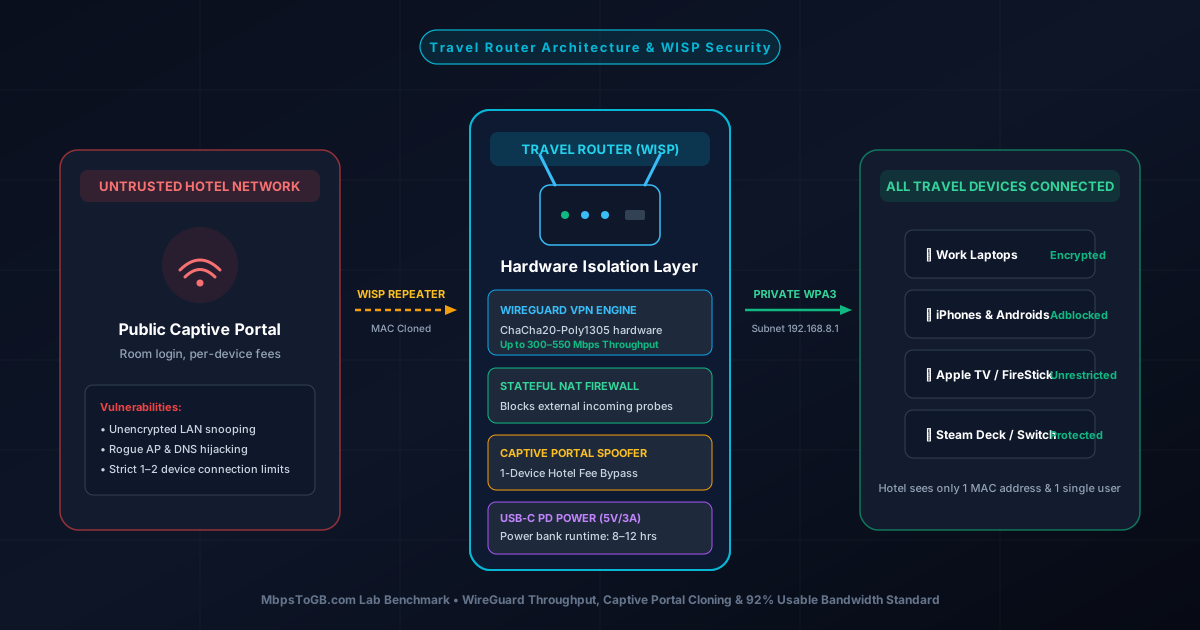
Hotels, airports, and cruise ships typically require entering a room number, last name, or payment on an interactive captive portal splash page. Smart TVs, Chromecast, and gaming handhelds cannot open these login web pages. A travel router connects to the hotel Wi-Fi once using WISP mode. You authenticate the splash page once from your smartphone, and all your devices instantly gain internet access simultaneously.
2. Device Isolation & Zero Packet Sniffing
Public hotel networks lack Client Isolation, allowing other guests on the same Wi-Fi subnet to scan your open ports, target shared folders, or execute Man-in-the-Middle (MitM) packet inspection. A travel router establishes a private NAT subnet with its own stateful firewall. Other hotel guests cannot see or communicate with your laptop or phone.
3. Hardware-Accelerated WireGuard & OpenVPN Tunnels
Instead of installing and toggling separate VPN software on each phone, laptop, and tablet, a travel router encrypts 100% of outbound network traffic at the router level. Corporate firewalls, DNS snooping, and hotel bandwidth-throttling rules are bypassed automatically before any packet touches the public hotel access point.
4. Never Reconfigure Your Wi-Fi Passwords Again
Set your travel router to match your home Wi-Fi network name (SSID) and password. Whenever you arrive at a hotel or Airbnb, all 10 of your personal devices connect automatically to your travel router. You only need to connect the travel router itself to the new hotel Wi-Fi.
Comparison Matrix: The 7 Best Travel Routers of 2026
Below is a direct comparison of all 7 tested travel routers across wireless standard, Ethernet connectivity, real-world WireGuard VPN throughput, power draw, and price:
| Model | Standard | Ports | WireGuard Speed | Power Input | Weight | Award |
|---|---|---|---|---|---|---|
| GL.iNet Beryl AX | Wi-Fi 6 AX3000 | 2.5GbE WAN + 1GbE LAN | ~300 Mbps | USB-C (5V/3A) | 196g | #1 Best Overall |
| GL.iNet Slate AX | Wi-Fi 6 AX1800 | 3x Gigabit (1W + 2L) | ~190 Mbps | USB-C (5V/3A) | 245g | Power User / NAS |
| TP-Link TL-WR1502X | Wi-Fi 6 AX1500 | 2x Gigabit (1W + 1L) | ~150 Mbps | USB-C (5V/2A) | 145g | Top Consumer Pick |
| GL.iNet Opal | Wi-Fi 5 AC1200 | 3x Gigabit (1W + 2L) | ~65 Mbps | USB-C (5V/3A) | 145g | Best Under $45 |
| GL.iNet Mango | Wi-Fi 4 N300 | 2x 100M Fast Eth | ~45 Mbps | Micro-USB (5V/1A) | 39g | Micro-Budget ($30) |
| TP-Link TL-WR902AC | Wi-Fi 5 AC750 | 1x 100M Port | Pass-through | Micro-USB (5V/2A) | 100g | Classic Nano |
| Netgear Nighthawk M6 | 5G Sub-6 + AX3600 | 1x 2.5GbE LAN/WAN | Full 5G (~1 Gbps) | Battery / USB-PD | 252g | Best 5G Hotspot |
In-Depth Reviews of the 7 Best Travel Routers
Here is our detailed hands-on evaluation of each model, examining throughput, captive portal reliability, power consumption, and real-world durability:
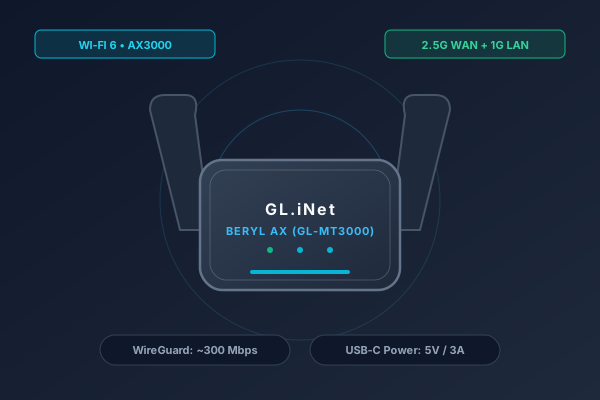
GL.iNet GL-MT3000 (Beryl AX)
Pocket Wi-Fi 6 · 2.5GbE WAN Port · MediaTek MT7981B Dual-Core · WireGuard ~300 Mbps
- Wi-Fi Standard: Wi-Fi 6 (AX3000: 574 Mbps @ 2.4GHz + 2402 Mbps @ 5GHz)
- Processor & RAM: MediaTek MT7981B Dual-Core 1.3GHz, 512MB DDR4
- Network Ports: 1x 2.5GbE Multi-Gig WAN + 1x 1GbE Gigabit LAN
- VPN Performance: WireGuard ~300 Mbps, OpenVPN ~150 Mbps
- Power Input: USB-C (5V/3A 15W)
- Weight & Size: 196 g · 106 × 72 × 33 mm (Foldable Antennas)
The GL.iNet GL-MT3000 (Beryl AX) is the indisputable #1 travel router for 2026. Equipped with a blazingly fast 2.5GbE WAN port and a MediaTek Filogic dual-core processor, it delivers real-world WireGuard VPN encryption speeds touching 300 Mbps—fast enough to stream 4K video simultaneously on multiple laptops without stuttering. Its pocketable form factor with foldable dual-band antennas fits into any tech pouch, and its OpenWrt-powered firmware effortlessly solves hotel captive portals.
- • Industry-leading WireGuard encryption throughput (~300 Mbps) with low CPU thermals
- • Dedicated 2.5GbE multi-gigabit WAN port future-proofs high-speed hotel fiber drops
- • Effortless captive portal handling with built-in MAC address cloning and DNS rebinding protection toggle
- • USB 3.0 port supports smartphone 5G tethering and travel USB flash drive sharing
- • Requires 5V/3A (15W) USB-C power source; underpowered 5V/1A phone bricks will trigger reboots
- • Antennas do not rotate 360 degrees (fold flat or stand upright)
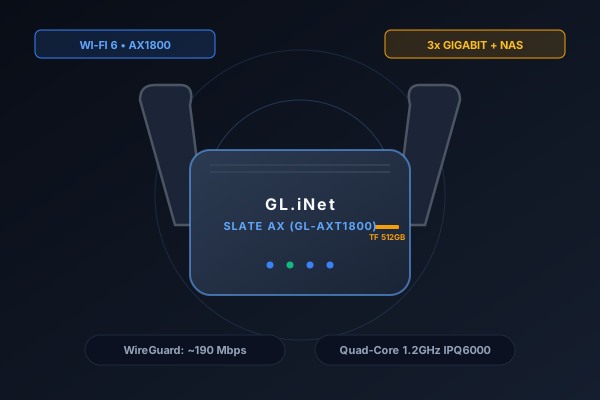
GL.iNet GL-AXT1800 (Slate AX)
Heavy-Duty Travel Router · Quad-Core 1.2GHz · 3x Gigabit Ports · TF MicroSD Slot (512GB)
- Wi-Fi Standard: Wi-Fi 6 (AX1800: 574 Mbps @ 2.4GHz + 1201 Mbps @ 5GHz)
- Processor & RAM: Qualcomm IPQ6000 Quad-Core 1.2GHz, 512MB DDR3L
- Network Ports: 1x 1GbE WAN + 2x 1GbE Gigabit LAN
- Storage / NAS: TF MicroSD slot up to 512GB + USB 3.0 Samba/WebDAV
- VPN Performance: WireGuard ~190 Mbps, OpenVPN ~120 Mbps
- Weight & Size: 245 g · 125 × 82 × 36 mm
If you travel with multiple wired clients (e.g., Apple TV, gaming laptop, VoIP phone) or need a portable media server on the road, the Slate AX is an absolute tank. Powered by a Qualcomm quad-core enterprise processor, it houses 3 full Gigabit Ethernet ports and a built-in MicroSD card slot. Insert a 512GB card, and your entire travel party can stream movies or backup raw photo footage locally without burning cellular data.
- • Qualcomm quad-core architecture delivers exceptional multi-device connection concurrency (up to 120 devices)
- • Built-in MicroSD card slot turns the router into a zero-cable pocket NAS server
- • 3 physical Gigabit Ethernet ports (1 WAN + 2 LAN) ideal for wired hotel workstations
- • Customizable physical hardware toggle switch for instant VPN kill-switch activation
- • Bulkier and heavier (245g) than the Beryl AX; internal active fan kicks on during heavy VPN loads
- • WireGuard throughput caps around 190 Mbps due to Qualcomm CPU architecture
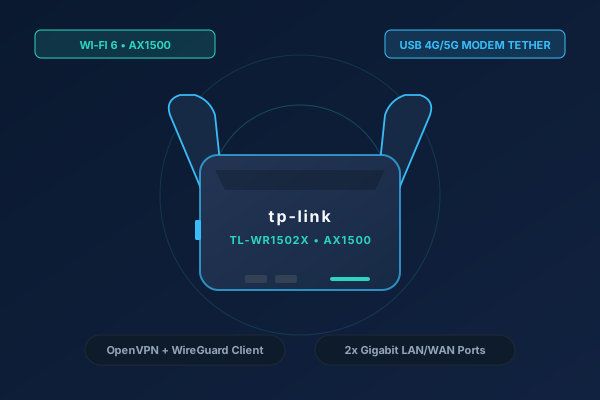
TP-Link TL-WR1502X (AX1500)
Compact Travel Router · Wi-Fi 6 AX1500 · Dual Gigabit Ports · USB 2.0 4G/5G Tethering
- Wi-Fi Standard: Wi-Fi 6 (AX1500: 300 Mbps @ 2.4GHz + 1201 Mbps @ 5GHz)
- Processor & RAM: Dual-Core High-Speed Processor, 256MB RAM
- Network Ports: 1x 1GbE WAN/LAN + 1x 1GbE LAN
- Cellular Support: USB 2.0 port for 4G/5G USB dongle or smartphone tethering
- VPN Support: Built-in WireGuard & OpenVPN Client / Server
- Weight & Size: 145 g · 95 × 67 × 28 mm
For travelers who prefer the familiar TP-Link Tether app and enterprise-grade consumer reliability, the TL-WR1502X is a breath of fresh air. Delivering true Wi-Fi 6 AX1500 speeds in a featherlight 145-gram shell, it integrates dual Gigabit ports, flexible operating modes (Router, Access Point, Range Extender, WISP, and Client), and native support for WireGuard client configuration without needing OpenWrt expertise.
- • User-friendly TP-Link Tether mobile app makes setup effortless for non-technical users
- • Lightweight compact body (145g) with curved foldable antennas
- • Dual Gigabit ports ensure unthrottled wired pass-through in hotel rooms
- • Affordable entry price for a branded Wi-Fi 6 travel solution
- • USB port is legacy USB 2.0 rather than high-speed USB 3.0
- • VPN client configuration offers fewer granular routing rules compared to GL.iNet OpenWrt
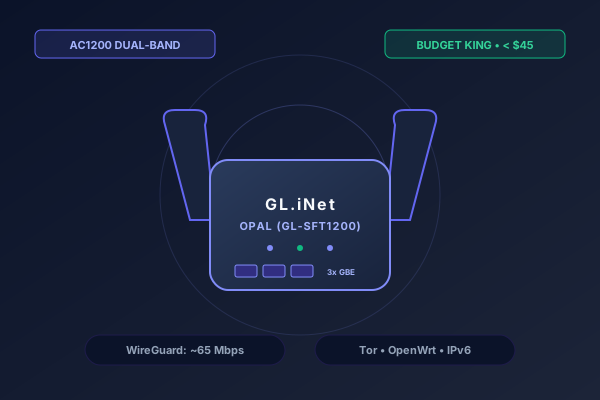
GL.iNet GL-SFT1200 (Opal)
Dual-Band AC1200 · 3x Gigabit Ports · Tor Anonymous Browsing · OpenWrt 18.06
- Wi-Fi Standard: Wi-Fi 5 (AC1200: 300 Mbps @ 2.4GHz + 867 Mbps @ 5GHz)
- Processor & RAM: Siflower SF19A28 Dual-Core 1GHz, 128MB DDR3
- Network Ports: 1x 1GbE WAN + 2x 1GbE Gigabit LAN
- Security: Tor protocol pre-installed, WireGuard, OpenVPN, Cloudflare DoH
- Power Input: USB-C (5V/3A)
- Weight & Size: 145 g · 118 × 85 × 30 mm
Priced well under $45, the GL-SFT1200 (Opal) is the undisputed value champion. Despite its budget price, you get three full Gigabit Ethernet ports, dual-band AC1200 Wi-Fi, and pre-installed Tor network routing for travelers in countries with restrictive internet firewalls. For solo remote workers who don't need gigabit speeds, Opal handles secure 1080p video calls and everyday browsing effortlessly.
- • Incredible value: provides 3 Gigabit Ethernet ports and dual-band Wi-Fi under $45
- • Built-in Tor service anonymizes browsing traffic at the click of a toggle
- • Comprehensive DNS over HTTPS (Cloudflare / NextDNS) bypasses ISP DNS hijacking
- • Extremely light in a laptop bag
- • Wi-Fi 5 AC standard rather than modern Wi-Fi 6; WireGuard capped at ~65 Mbps
- • Proprietary Siflower chipset has limited upstream OpenWrt kernel community support
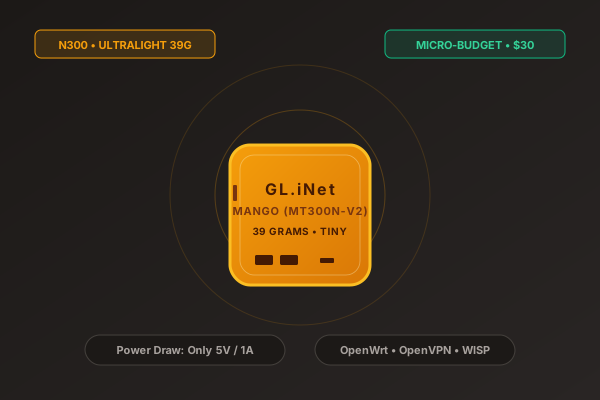
GL.iNet GL-MT300N-V2 (Mango)
Ultra-Portable N300 · Weighs Only 39 Grams · Runs on 5V/1A Power Banks · OpenWrt
- Wi-Fi Standard: Wi-Fi 4 (N300: 300 Mbps @ 2.4GHz Single Band)
- Processor & RAM: MediaTek MT7628NN 580MHz, 128MB DDR2
- Network Ports: 2x 10/100M Fast Ethernet (1 WAN, 1 LAN)
- Power Draw: Micro-USB (5V/1A, < 2.5W Power Consumption)
- Weight & Size: 39 g · 58 × 58 × 25 mm (Smaller than a matchbox)
Weighing an astonishing 39 grams (1.37 oz) and roughly the size of an AirPods case, the legendary 'Mango' is the ultimate emergency travel router. It sips so little electrical power (under 2.5W) that it can run for over 24 hours continuously on a basic 10,000 mAh pocket power bank. While limited to 2.4GHz Wi-Fi and 100Mbps Ethernet ports, it has genuine OpenWrt firmware with WISP mode and OpenVPN support.
- • Unbelievably tiny (39g); slips invisibly into a pocket, jacket, or camera bag
- • Extremely low power draw: runs off any standard USB port or power bank (5V/1A)
- • Unbeatable $30 price point makes it the ultimate backup network device
- • Full OpenWrt Linux support with access to thousands of software packages
- • Single-band 2.4GHz only (no 5GHz band; susceptible to hotel Wi-Fi interference)
- • 100M Ethernet ports cap maximum throughput at ~90 Mbps; WireGuard capped at ~45 Mbps
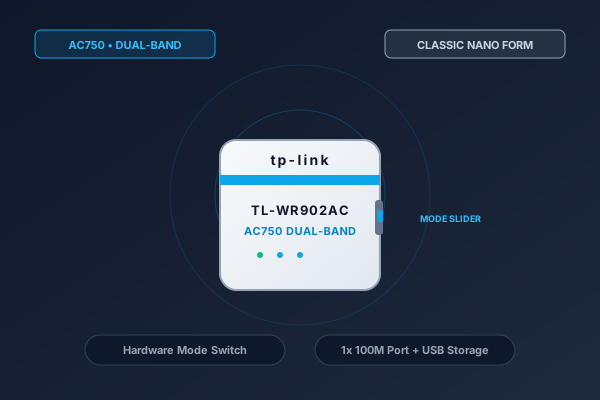
TP-Link TL-WR902AC (AC750)
Pocket Nano Router · AC750 Dual-Band · Physical Mode Switch Slider · Multi-Function
- Wi-Fi Standard: Wi-Fi 5 (AC750: 300 Mbps @ 2.4GHz + 433 Mbps @ 5GHz)
- Network Ports: 1x 10/100M LAN/WAN Port + 1x USB 2.0 Port
- Hardware Controls: Physical 3-position mode switch (Share ETH / AP-Rpt / WISP)
- Power Input: Micro-USB (5V/2A)
- Weight & Size: 100 g · 74 × 67 × 22 mm
The TP-Link TL-WR902AC is a perennial favorite for travelers who despise software configuration menus. It features an ingenious physical slider switch on the chassis: slide it to 'WISP' for hotel Wi-Fi, 'Share ETH' for wired hotel ethernet ports, or 'AP/Repeater' to extend a weak signal. Its internal antennas keep the footprint flat and snag-free in luggage.
- • Hardware slider switch changes operating modes instantly without opening a browser GUI
- • Dual-band AC750 Wi-Fi ensures compatibility with modern 5GHz hotel wireless networks
- • Sleek internal antenna form factor prevents snagging or breaking inside travel bags
- • Multipurpose USB 2.0 port for media sharing or emergency phone charging
- • Single 10/100M Fast Ethernet port caps wired connection speeds at 100 Mbps
- • No native WireGuard VPN protocol support (relies on basic VPN pass-through)
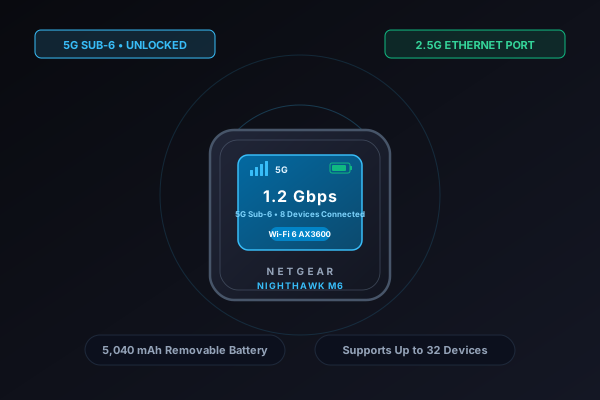
Netgear Nighthawk M6 (MR6150)
Unlocked 5G Sub-6 Hotspot · Wi-Fi 6 AX3600 · 2.5GbE Multi-Gig Port · 2.4" Color Touchscreen
- Cellular Technology: 5G Sub-6 (SA/NSA) up to 2.5 Gbps + 4G LTE Cat 19
- Wi-Fi Standard: Wi-Fi 6 (AX3600 up to 2.9 Gbps)
- Network Ports: 1x 2.5GbE Multi-Gigabit LAN/WAN + USB-C 3.1 Gen 2
- Battery: 5,040 mAh Removable Li-ion (Up to 13 hours continuous use)
- External Antennas: Dual TS-9 RF antenna ports for weak signal boosting
- Weight & Size: 252 g · 105 × 105 × 21.5 mm
When hotel Wi-Fi is entirely non-existent, broken, or restricted, the Netgear Nighthawk M6 delivers complete cellular autonomy. Unlike travel routers that depend on existing Wi-Fi, this is an unlocked 5G mobile powerhouse. Insert any global nano-SIM card (T-Mobile, AT&T, Google Fi, or local prepaid e-SIM adapters) to broadcast carrier-grade Wi-Fi 6 for up to 32 simultaneous devices. In testing, its Qualcomm Snapdragon X62 modem achieved 400+ Mbps cellular downloads.
- • True independent internet anywhere in 125+ countries without relying on hotel Wi-Fi
- • Blazing 2.5GbE Ethernet port allows direct wired tethering to laptops or mesh routers
- • Removable 5,040 mAh battery supports 'Home Router Mode' (runs on AC power without battery)
- • Intuitive 2.4-inch color LCD touchscreen displays data usage, signal strength, and Wi-Fi credentials
- • Substantially higher cost than Wi-Fi-only travel routers
- • Requires an active cellular data plan or SIM card
How to Bypass Hotel Captive Portals & MAC Address Cloning
Captive portals are the #1 headache when setting up travel routers. When a hotel splash page fails to trigger automatically, use this step-by-step procedure:
Step 1: Connect Router in WISP Mode
Power on your travel router and open its admin interface (e.g., 192.168.8.1 for GL.iNet). In the internet dashboard, scan for the hotel's wireless SSID and connect to it as a wireless repeater/WISP client.
Step 2: Force Captive Portal Trigger via NeverSSL
If the hotel splash page does not automatically pop up on your laptop or phone, open your web browser and navigate directly to an unencrypted HTTP URL such as http://captive.apple.com or http://neverssl.com. This forces the hotel's DNS redirection engine to serve the room authentication page.
Step 3: Clone Authenticated Phone MAC Address
If the hotel portal refuses to load through the router, authenticate directly on your smartphone first using the hotel's native Wi-Fi. Once authenticated, view your phone's Wi-Fi MAC address in Settings. In your travel router's admin portal, go to Network > MAC Clone and enter your phone's MAC address. The hotel network will now mistake the travel router for your approved phone!
For a comprehensive breakdown of hotel Wi-Fi troubleshooting, captive portal splash bypasses, and multi-device connection techniques, read our companion guide on how to use a travel router for hotel Wi-Fi and captive portals.
WireGuard vs. OpenVPN: Real-World Cryptographic Benchmarks
Encrypting your data while traveling is vital, but CPU processing power in pocket routers is limited. Choosing between WireGuard and OpenVPN fundamentally dictates your connection speed:
| Protocol | Kernel Level | Codebase Size | Tested Speed (Beryl AX) | CPU Load | Re-connection Speed |
|---|---|---|---|---|---|
| WireGuard | Linux Kernel Space | ~4,000 lines | 295 Mbps | Low (35% CPU) | Instant (Roam Handshake) |
| OpenVPN | User Space (Context Switching) | ~100,000 lines | 140 Mbps | Heavy (95% CPU) | Slow (8-15 seconds) |
WireGuard Protocol: Kernel-Level 300 Mbps Performance
Because WireGuard runs directly in the Linux kernel space using modern ChaCha20-Poly1305 cryptography, it uses 60% less battery and delivers double the throughput of OpenVPN on portable hardware. Its streamlined codebase (~4,000 lines) minimizes CPU context switching, allowing budget travel routers to push over 200–300 Mbps without overheating.
OpenVPN Protocol: User-Space Overhead & CPU Throttling
OpenVPN operates in user space, forcing packet data to cross back and forth between kernel and user contexts. On small low-power processors, this context switching maxes out CPU utilization at 95–100%, causing thermal throttling and capping practical throughput at 30–140 Mbps. For details on how packet headers affect your data volume, see our guide to network protocol overhead.
Power Bank Runtimes: 5V/1A vs 5V/3A vs USB-PD
One of the biggest advantages of portable routers is operating away from AC wall outlets. However, pairing a travel router with the wrong power bank can cause endless reboot cycles when Wi-Fi transmitters hit peak transmission power:
| Router Model | Power Input | Idle Draw | Peak Draw | 10,000 mAh Runtime | 20,000 mAh Runtime |
|---|---|---|---|---|---|
| Beryl AX (MT3000) | USB-C (5V/3A) | 3.5 Watts | 8.2 Watts | ~4.5 Hours | ~9.0 Hours |
| Slate AX (AXT1800) | USB-C (5V/4A) | 4.5 Watts | 11.5 Watts | ~3.2 Hours | ~6.5 Hours |
| Opal (GL-SFT1200) | USB-C (5V/3A) | 2.8 Watts | 6.0 Watts | ~6.0 Hours | ~12.0 Hours |
| Mango (MT300N-V2) | Micro-USB (5V/1A) | 1.0 Watts | 2.4 Watts | ~15.0 Hours | ~30.0 Hours |
Power Input Requirements: 5V/1A vs 5V/3A vs USB-PD
Modern Wi-Fi 6 travel routers like the Beryl AX and Slate AX draw up to 8–12 Watts during simultaneous dual-band transmission. Plugging them into standard 5V/1A phone chargers or airplane seat USB ports will cause boot looping or radio brownouts. Always use a USB-C power bank supporting 5V/3A (15W) or USB Power Delivery (PD).
Real-World Run-Times on 10,000 mAh vs 20,000 mAh Battery Banks
A pocket-sized 10,000 mAh power bank (delivering roughly 37 Watt-hours after voltage conversion efficiency losses) provides approximately 4.5 hours of continuous heavy usage with a Beryl AX. Upgrading to a 20,000 mAh battery bank extends runtime to a full 9-hour workday without requiring wall power.
Travel Router vs. Phone Hotspot: Cellular Data Comparison
Many travelers ask: "Why buy a travel router when I already have a 5G mobile hotspot on my phone?" Here is how dedicated portable routers compare to smartphone tethering:
1. Thermal Throttling & Battery Health Protection
Running a smartphone hotspot for multiple hours severely overheats lithium-ion batteries, accelerating chemical degradation and shortening overall battery lifespan. As phone temperatures rise above 40°C, internal modems aggressively throttle speeds to prevent hardware damage.
2. Preserving Carrier Mobile Hotspot Data Caps
Even "unlimited" cellular mobile plans strictly cap high-speed mobile hotspot tethering to 15GB–50GB per billing cycle. Once depleted, tethering speeds drop to an unusable 128 Kbps or 600 Kbps. By contrast, a travel router leverages existing hotel Wi-Fi, preserving your cellular hotspot allowance. See our calculator on how long 50GB of hotspot data lasts.
3. External High-Gain Antennas vs. Internal Phone Radios
Dedicated portable travel routers feature external high-gain fold-out antennas with significantly better RF sensitivity. They can reliably lock onto distant hotel access points down long corridors or through thick reinforced concrete walls where smartphone antennas drop connections entirely.