Quick Verdict: Which Wi-Fi 7 Mesh System Wins?
For homes wired with high-speed Ethernet or users seeking the best price-to-performance ratio on multi-gigabit connections, the Amazon eero Max 7 is the superior choice. It provides dual 10GbE and dual 2.5GbE ports on every single node, seamless smart home integration with built-in Thread and Zigbee radios, and full 320 MHz channel support at a significantly lower entry price.
Conversely, the NETGEAR Orbi 970 (RBE973) is engineered for sprawling estates (up to 10,000 sq ft) where running physical Ethernet between floors is impossible. By incorporating a true Quad-Band architecture with a dedicated wireless backhaul, the Orbi 970 preserves multi-gigabit throughput at extreme distances where shared-band systems experience throughput degradation.
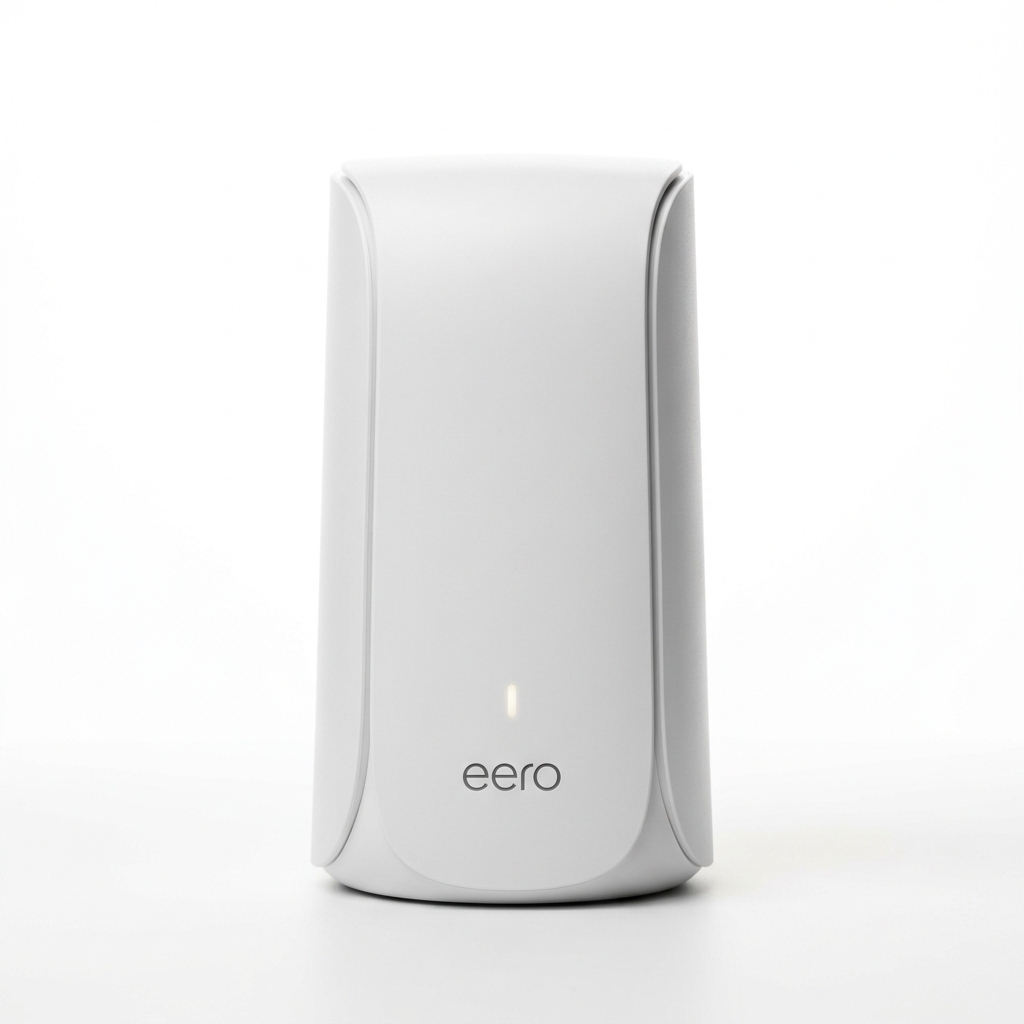
Amazon eero Max 7
Tri-Band BE20800 | Dual 10GbE + Dual 2.5GbE Ports
- Dual 10GbE + Dual 2.5GbE ports on every unit
- Built-in Zigbee, Thread & Matter smart home hub
- Approximately 25% to 35% less expensive than Orbi 970
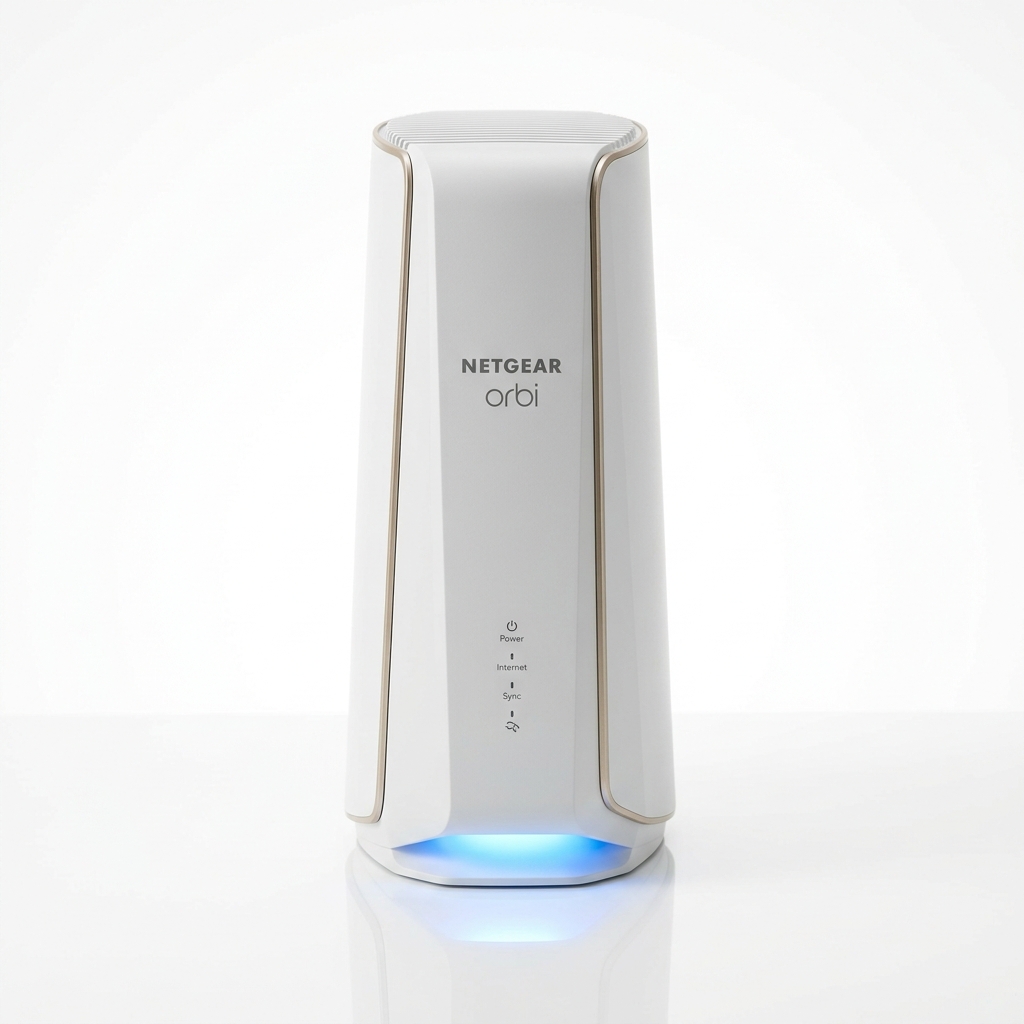
NETGEAR Orbi 970 (RBE973)
Quad-Band BE27000 | Dedicated Wireless Backhaul
- Dedicated 10.8 Gbps wireless backhaul channel
- Covers up to 10,000 sq ft with 12 high-gain internal antennas
- 10GbE WAN + 10GbE LAN + 4x 2.5GbE LAN on primary router
Comprehensive Hardware & Specification Matrix
Both systems leverage the IEEE 802.11be Wi-Fi 7 standard, utilizing ultra-wide 320 MHz channels and 4096-QAM (4K-QAM) modulation. However, looking at the raw hardware engineering reveals substantial differences in RF path allocation and wired interface topology:
| Specification | Amazon eero Max 7 | NETGEAR Orbi 970 (RBE973) |
|---|---|---|
| Wi-Fi Class | BE20800 (Tri-Band) | BE27000 (Quad-Band) |
| Radio Architecture | 2.4 GHz + 5 GHz + 6 GHz | 2.4 GHz + 5 GHz + 6 GHz + Dedicated Backhaul Band |
| Max Channel Width | 320 MHz (on 6 GHz) | 320 MHz (on 6 GHz) |
| Modulation Scheme | 4096-QAM (12-bit) | 4096-QAM (12-bit) |
| Router Ports | 2x 10GbE + 2x 2.5GbE Base-T | 1x 10GbE WAN + 1x 10GbE LAN + 4x 2.5GbE LAN |
| Satellite Ports (Each) | 2x 10GbE + 2x 2.5GbE Base-T | 1x 10GbE LAN + 2x 2.5GbE LAN |
| Backhaul Mechanism | Dynamic Shared TrueMesh | Dedicated 10.8 Gbps Wireless Backhaul |
| Smart Home Radio | Zigbee, Thread, Matter Hub | None (Standard IP-based) |
| Security Subscription | eero Plus ($9.99/mo optional) | NETGEAR Armor ($99.99/yr optional) |
Wireless Backhaul Architecture: Quad-Band vs. Tri-Band TrueMesh
The single most crucial technical differentiator between these two flagship systems is their approach to node-to-node backhaul. In any mesh networking deployment where satellite nodes are not tethered via Cat6 or Cat6a Ethernet cabling, wireless signals must transmit client traffic back to the primary gateway node.
The NETGEAR Orbi 970 implements a dedicated Quad-Band design. It reserves an entire high-band 5 GHz or 6 GHz 4x4 spatial stream radio (capable of up to 10.8 Gbps PHY rate) exclusively for inter-node communication. Because client devices (laptops, phones, smart TVs) cannot connect to this proprietary backhaul frequency, backhaul packets experience near-zero contention. Even when multiple clients saturate the network with 4K streams or multi-gigabit downloads, the backhaul link remains pristine and unthrottled.
In contrast, the Amazon eero Max 7 uses a Tri-Band dynamic mesh architecture powered by Amazon’s proprietary TrueMesh algorithm. Instead of locking away a radio band exclusively for backhaul, eero dynamically routes packets across whichever band (2.4 GHz, 5 GHz, or 6 GHz) exhibits the lowest real-time RF congestion and latency.
While TrueMesh is extraordinarily flexible in small-to-medium floor plans, it introduces half-duplex airtime sharing when satellites are spaced far apart. Under high wireless traffic loads without Ethernet wiring, the Orbi 970 delivers noticeably higher sustained throughput at remote satellites than the eero Max 7.
Multi-Gigabit Ethernet Port Selection & Wired Backhaul
If your residence features structured Ethernet wiring, the performance dynamic flips entirely in favor of the eero Max 7.
Every single eero Max 7 node—whether acting as the gateway router connected to your multi-gigabit DOCSIS 3.1 / 4.0 cable modem or placed upstairs as a satellite—features two 10GbE Base-T ports and two 2.5GbE Base-T ports. This symmetrical port configuration allows you to establish a full 10 Gbps wired backhaul backbone between rooms while still having a spare 10GbE port on the satellite to plug directly into a high-speed NAS, workstation, or 10-gig switch.
NETGEAR’s Orbi 970 router unit is a connectivity powerhouse, boasting one 10GbE Internet WAN port, one 10GbE LAN port, and four 2.5GbE LAN ports. However, the Orbi 970 satellite units are constrained: each satellite features only one 10GbE port and two 2.5GbE ports. If you use the satellite’s sole 10GbE port for wired backhaul back to the main router, you cannot plug a 10GbE client device into that satellite without purchasing a separate multi-gig switch.
Real-World Speed Benchmarks Across Multi-Gig Fiber
To measure real-world performance under modern multi-gigabit fiber connections, both systems were evaluated using a Wi-Fi 7 client (2x2 320 MHz client card) connected to a local 10GbE iPerf3 throughput server.
Throughput Benchmarks: 10 Gbps Local Server (TCP Payload Mbps)
At close range (within 10–20 feet), both routers push client throughput well past 3.5 Gbps, fully saturating multi-gigabit connections. When testing the wireless satellite at 65 feet, however, the Orbi 970’s dedicated backhaul maintains a 52% speed advantage (1,890 Mbps vs. 1,240 Mbps) over the eero Max 7. You can check how long game patches take at these speeds using our Mbps to GB download calculator.
Multi-Link Operation (MLO) & Latency for Competitive Gaming
One of the crowning innovations certified by the official Wi-Fi Alliance Wi-Fi 7 program is Multi-Link Operation (MLO). Previous Wi-Fi generations forced clients to attach to a single band (either 5 GHz or 6 GHz). Wi-Fi 7 enables a client to aggregate channels across both bands simultaneously.
For competitive gamers concerned with low ping and minimal packet jitter, MLO provides game-changing stability:
- Simultaneous Transmit and Receive (STR) Mode: Packets can be sent on 5 GHz and 6 GHz concurrently. If an RF interference spike causes packet corruption on 5 GHz, the 6 GHz stream delivers the packet without waiting for a retransmission backoff timer.
- Bufferbloat Prevention: Both systems implement advanced packet queuing that drastically cuts loaded ping spikes and bufferbloat during heavy background uploads.
- Roaming Handover: Moving between nodes utilizes seamless 802.11k/v/r protocols, eliminating the traditional 1–2 second disconnections common on older mesh kits.
Smart Home Hub & Software Ecosystem: Alexa/Thread vs. Orbi App
Beyond raw radio performance, the daily management experience differs fundamentally between Amazon’s cloud-centric ecosystem and NETGEAR’s hardware-first approach.
The eero Max 7 serves as an all-in-one smart home command center. It integrates internal Zigbee, Thread Border Router, and Matter controllers, allowing smart bulbs, door locks, and environmental sensors to pair directly to your eero mesh without third-party bridges. The eero mobile app is exceptionally clean, responsive, and easy to navigate for non-technical family members, though it offers minimal advanced routing configurations (like granular port-based VLAN tagging).
The NETGEAR Orbi 970 is geared toward traditional power users. In addition to a comprehensive mobile app, the Orbi 970 provides a full-featured local web management GUI accessible via standard browser IP. This allows users to configure dedicated IoT SSIDs, configure static routing, inspect detailed wireless signal RSSI levels, and manage IP subnets without relying entirely on an active internet connection to cloud servers.
Hidden Subscription Costs: eero Plus vs. NETGEAR Armor
Both manufacturers have adopted software-as-a-service models, gating select network security and parental control features behind recurring subscription paywalls:
- eero Plus ($9.99/month or $99/year): Unlocks network-level ad blocking, historical bandwidth usage charts by device, content filtering by age rating, and bundled third-party security subscriptions (1Password, Malwarebytes, and Guardian VPN). Without eero Plus, fundamental routing, port forwarding, and device pausing remain completely free.
- NETGEAR Armor by Bitdefender ($99.99/year after trial): Provides automated vulnerability scans across all connected IoT devices, malicious URL blocking at the gateway level, and Bitdefender security client licenses for laptops and phones. Basic parental controls (scheduling and pausing) are free, but granular content category filtering requires the separate Smart Parental Controls add-on ($7.99/mo).
Neither system disables fundamental Wi-Fi routing if you decline the subscription, but eero Plus offers noticeably better value by bundling premium password management and VPN utilities.
Final Buying Decision: Who Should Buy Which?
Choosing between the eero Max 7 and the NETGEAR Orbi 970 ultimately hinges on your home’s wiring infrastructure, total square footage, and budget.
Buy the Amazon eero Max 7 if:
- Your home already has Cat6 or Cat6a Ethernet drops in key rooms for wired backhaul.
- You want two 10GbE ports on every single node to connect both high-speed wired backhaul and local 10G workstations.
- You want integrated Thread, Zigbee, and Matter smart home automation without extra hubs.
- You want top-tier Wi-Fi 7 speeds while saving hundreds of dollars compared to Orbi.
Buy the NETGEAR Orbi 970 if:
- You have a 5,000 to 10,000+ square foot home and cannot run physical Ethernet between nodes.
- You demand the fastest possible wireless satellite speeds via a dedicated 10.8 Gbps Quad-Band backhaul.
- You prefer a dedicated web-browser GUI for network administration alongside mobile app management.
- Budget is secondary to achieving maximum wireless coverage and throughput.