Direct Answer: What Makes a NAS Ideal for Home Backup?
A home backup NAS requires a completely different design philosophy than a gaming server or media transcoding box. When choosing hardware to protect your family's irreplaceable photos and critical documents, three factors take precedence:
- Software Stability & Silent Snapshot Self-Healing: Backups must run automatically in the background without needing weekly management. The Btrfs filesystem with copy-on-write snapshotting protects against silent bit-rot data corruption.
- Automated Client Software with Zero Monthly Fees: Tools like Synology Active Backup for Business and Synology Photos deduplicate data across multiple family devices and automatically back up phones whenever they connect to home Wi-Fi.
- Graceful Power Protection Integration: Pairing your NAS with a supported UPS battery backup via USB ensures that during sudden blackouts, the NAS safely flushes write caches and unmounts drives without volume crashes.
The Backup Bottleneck: 3 Hidden Traps That Threaten Home Data
Before buying a NAS enclosure, understand these three critical storage pitfalls:
1. The RAID vs. Real Backup Fallacy (RAID Is Not a Backup)
RAID mirrors or stripes data across drives so a single mechanical hard drive failure does not halt your access. However, RAID provides zero defense against accidental file deletion, ransomware encryption, electrical surges, fire, or flooding. A true backup strategy mandates an automated offsite or cloud copy outside your physical home.
2. Desktop Drive vs. 24/7 CMR NAS Drive Reliability
Standard desktop drives (like Seagate BarraCuda) use SMR (Shingled Magnetic Recording) and are designed for 8 hours of light daily use. Subjecting them to 24/7 multi-drive vibration causes RAID rebuild errors and premature failure. Always install dedicated CMR NAS drives like Western Digital Red Plus or Seagate IronWolf.
3. Local Network Transfer Speed Bottlenecks (1GbE vs. 2.5GbE)
Backing up a 200GB computer backup over standard 1 Gbps Ethernet caps transfer speeds at 112 MB/s, taking roughly 30 minutes. Enclosures with 2.5GbE multi-gig ports paired with a certified Cat6 Ethernet cable reach 280+ MB/s, cutting initial backup windows by more than half.
Top 5 Tested NAS Units at a Glance: Bays, Speed & Specs
Below is a direct comparison of the top 5 tested home backup NAS enclosures evaluated for software stability, drive capacity, and network throughput:
| NAS Model | Drive Bays | Processor & RAM | Network Ports | Filesystem & Backup Apps | Category Award |
|---|---|---|---|---|---|
| Synology DS224+ | 2-Bay Hot-Swap | Intel J4125 4-Core / 2GB | 2x 1GbE (LAG/Failover) | Btrfs · Active Backup · Photos | #1 Best Overall Pick |
| Synology DS423+ | 4-Bay Hot-Swap | Intel J4125 4-Core / 2GB | 2x 1GbE + Dual M.2 NVMe | Btrfs · SHR / RAID 5 · Media | Best for Growth (4-Bay) |
| Synology DS223 | 2-Bay Hot-Swap | Realtek 4-Core / 2GB | 1x 1GbE Port | Btrfs · DSM 7 Ecosystem | Best Budget Synology |
| TerraMaster F2-223 | 2-Bay Hot-Swap | Intel N4505 2-Core / 4GB | 2x 2.5GbE Multi-Gig | TOS 5 · High-Speed Transfers | Best 2.5GbE Hardware Value |
| QNAP TS-464 | 4-Bay Hot-Swap | Intel N5095 4-Core / 8GB | 2x 2.5GbE + PCIe Slot | QTS 5 · Hybrid Backup Sync | Homelab & Power Users |
In-Depth Reviews of the 5 Best Home Backup NAS Units
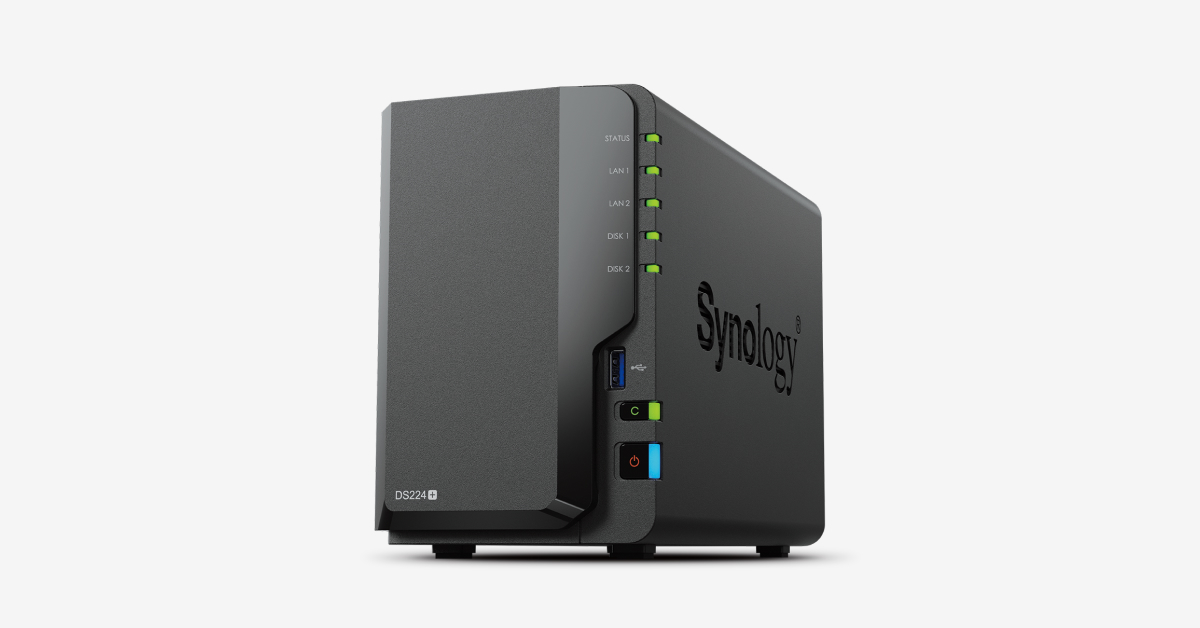
Synology DiskStation DS224+
2-Bay Hot-Swap · Intel Celeron J4125 Quad-Core · Dual 1GbE Ports
- Drive Bays: 2-Bay Hot-Swappable (Up to 36TB Raw)
- Processor: Intel Celeron J4125 4-Core 2.0 GHz
- Memory: 2GB DDR4 (Expandable to 6GB)
- Network Ports: 2x 1GbE with Failover & Link Aggregation
- Operating System: Synology DSM 7 (Btrfs Filesystem)
The Synology DS224+ is our default #1 recommendation for 90% of home backup setups. Powered by an Intel quad-core processor with hardware encryption acceleration, it pairs rock-solid hardware with Synology's peerless DSM software. Active Backup for Business backs up Windows PCs and Macs with zero recurring software fees, while Synology Photos automatically syncs camera rolls from every family member's phone privately.
- • Synology DSM operating system is the most polished, reliable NAS software on earth
- • Active Backup for Business and Hyper Backup included free with zero subscriptions
- • Btrfs filesystem protects against silent data corruption with automated self-healing
- • Dual Gigabit LAN ports support link aggregation or network failover redundancy
- • Lacks native 2.5GbE multi-gig networking out of the box
- • Stricter third-party hard drive compatibility notifications in DSM 7
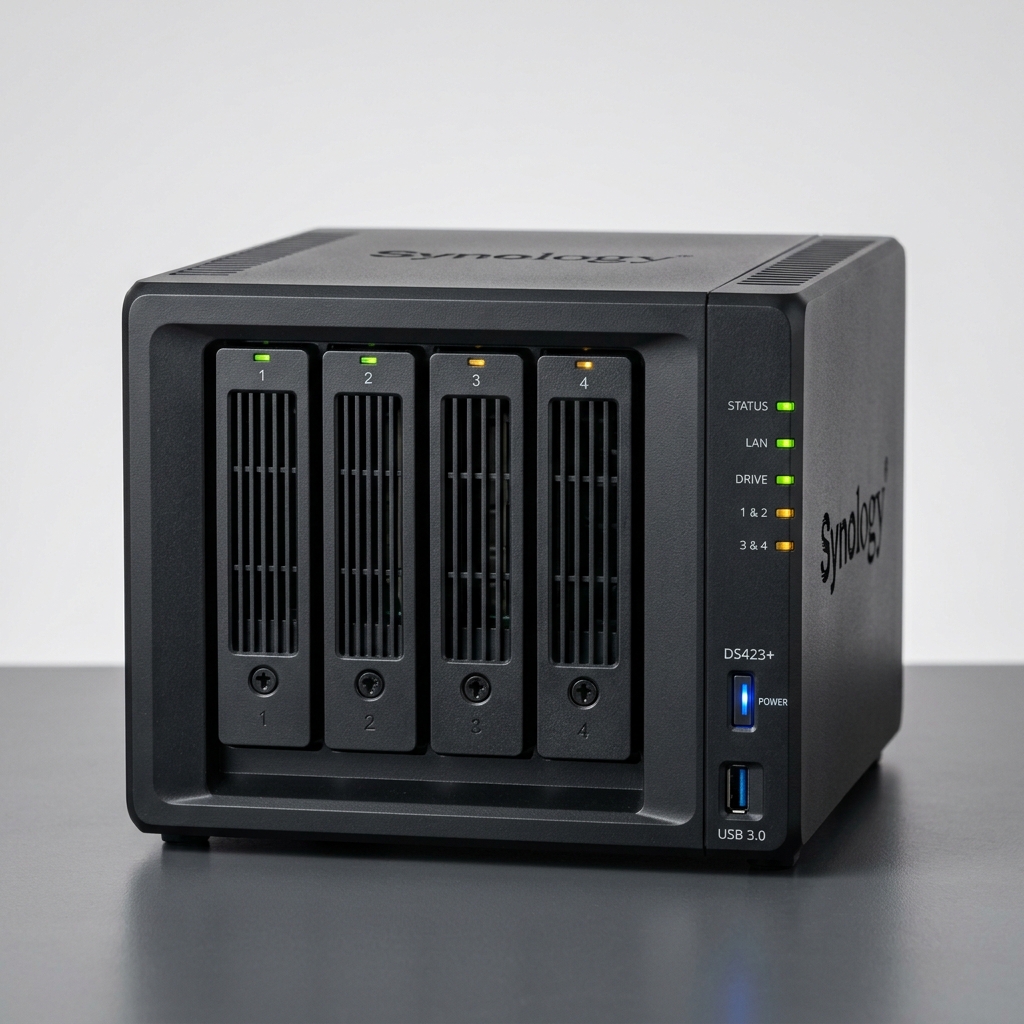
Synology DiskStation DS423+
4-Bay NAS · Intel Celeron J4125 · Dual M.2 NVMe SSD Cache Slots
- Drive Bays: 4-Bay Hot-Swappable (Up to 72TB Raw)
- Processor: Intel Celeron J4125 4-Core 2.0 GHz
- SSD Caching: Dual M.2 2280 NVMe SSD slots built-in
- Network Ports: 2x 1GbE with Link Aggregation
- RAID Options: Synology Hybrid RAID (SHR), RAID 5, 6, 10
If you have a growing photo archive, multiple home computers, or want to combine home backup with a 4K Plex streaming media server, the DS423+ is the ultimate 4-bay sweet spot. With 4 drive bays running Synology Hybrid RAID (SHR), you only lose 25% of total capacity to redundancy (compared to losing 50% on a 2-bay RAID 1 mirror), making large storage expansion dramatically more economical.
- • 4 drive bays unlock space-efficient RAID 5 and Synology Hybrid RAID (SHR)
- • Dual built-in M.2 NVMe slots accelerate random read/write I/O performance
- • Hardware video transcoding engine handles 4K media streaming effortlessly
- • Add larger hard drives on the fly without wiping existing data volumes
- • Higher initial investment for the enclosure and additional hard drives
- • Requires external USB adapter for 2.5GbE networking speeds
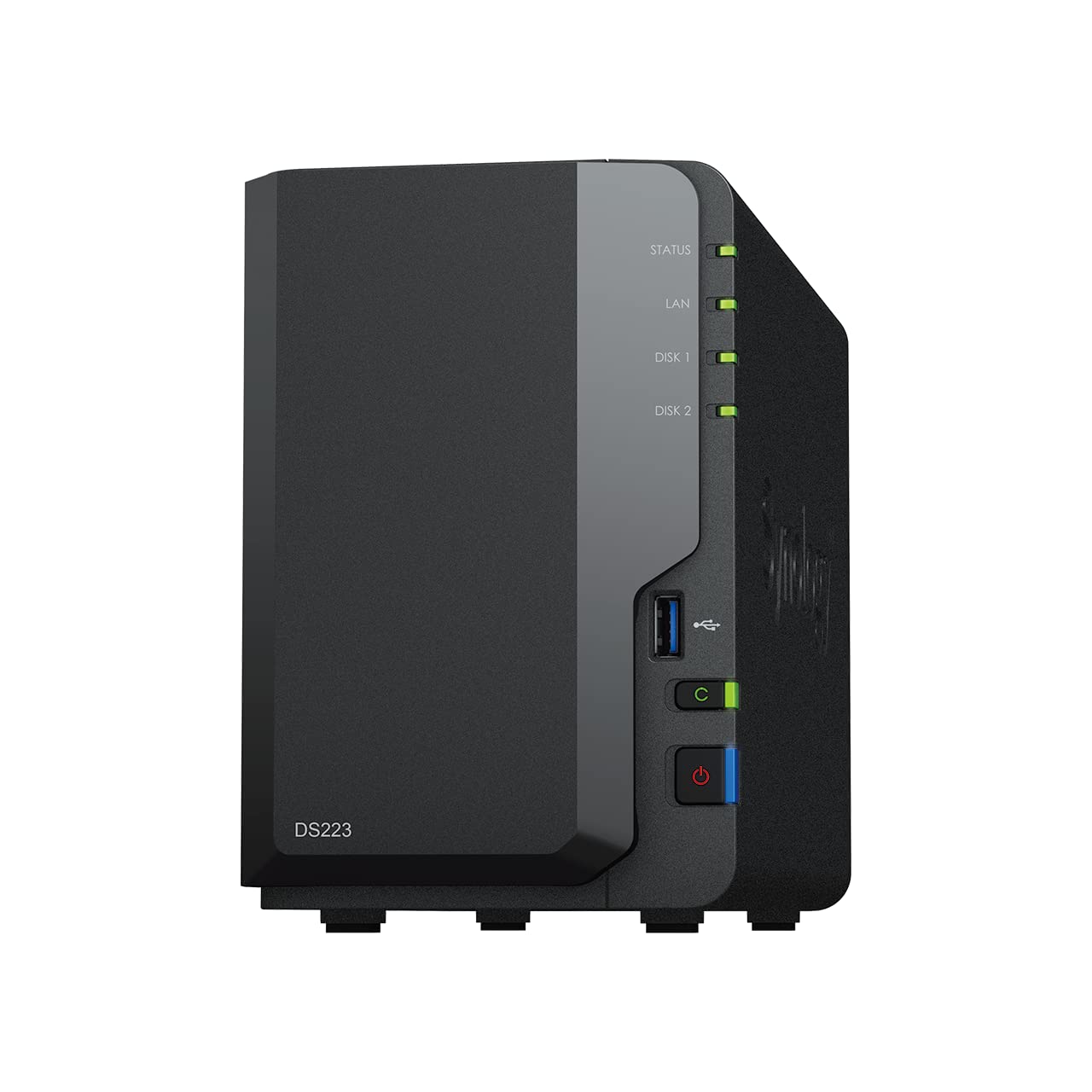
Synology DiskStation DS223
2-Bay Budget NAS · Realtek Quad-Core 1.7 GHz · 2GB DDR4 · Btrfs
- Drive Bays: 2-Bay Hot-Swappable (Up to 36TB Raw)
- Processor: Realtek RTD1619B Quad-Core 1.7 GHz
- Memory: 2GB DDR4 (Non-expandable)
- Network Ports: 1x 1GbE Gigabit Port
- Filesystem: Btrfs with Snapshot Replication
If the DS224+ stretches your budget but you refuse to sacrifice Synology's industry-leading software reliability, the DS223 is the ideal choice. It runs the full DSM 7 operating system with Btrfs snapshot replication, Hyper Backup, and Synology Photos. For straightforward automated backup tasks that do not require video transcoding or virtual machines, it delivers the exact same protection at a much lower price.
- • Full access to Synology's DSM 7 ecosystem at an accessible price point
- • Btrfs filesystem protects personal photos and files against bit rot
- • Ultra-low power consumption (draws under 18 watts under full read/write load)
- • Whisper-quiet operation suitable for bedroom or living room placement
- • Fixed 2GB RAM cannot be expanded
- • Single 1 Gbps Ethernet port lacks link aggregation capability
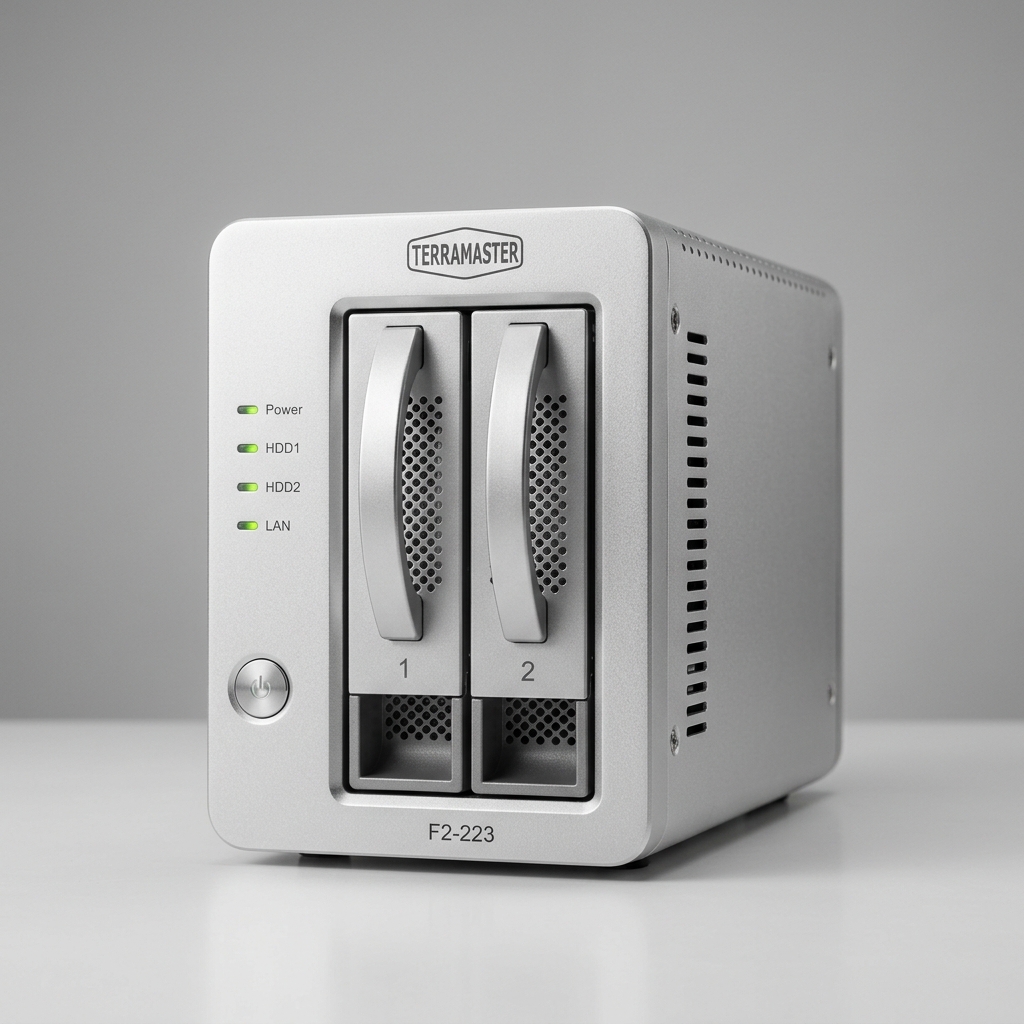
TerraMaster F2-223
2-Bay NAS · Dual 2.5GbE Multi-Gig Ports · Intel Dual-Core · Dual M.2
- Drive Bays: 2-Bay Hot-Swappable
- Processor: Intel Celeron N4505 Dual-Core 2.0 GHz
- Memory: 4GB DDR4 (Expandable to 32GB)
- Network Ports: 2x 2.5GbE Multi-Gigabit Ports (5 Gbps LAG)
- Expansion: Dual M.2 2280 NVMe SSD slots + HDMI
On paper, the TerraMaster F2-223 delivers astonishing hardware specs for the price: dual 2.5GbE multi-gigabit Ethernet ports, an Intel processor, dual M.2 NVMe slots, and expandable memory up to 32GB. If you have a <a href='/guides/best-router-for-gigabit-internet'>multi-gigabit network switch or router</a>, this box moves large video backups across your local network at up to 280 MB/s—more than double the speed of 1GbE.
- • Dual 2.5GbE ports deliver blisteringly fast 280+ MB/s local network transfers
- • Massive memory expandability up to 32GB RAM
- • Dual M.2 NVMe slots for high-speed SSD caching or independent storage
- • Exceptional hardware specifications per dollar spent
- • TerraMaster TOS software is less intuitive and refined than Synology DSM
- • Mobile companion apps require more manual configuration for cloud sync
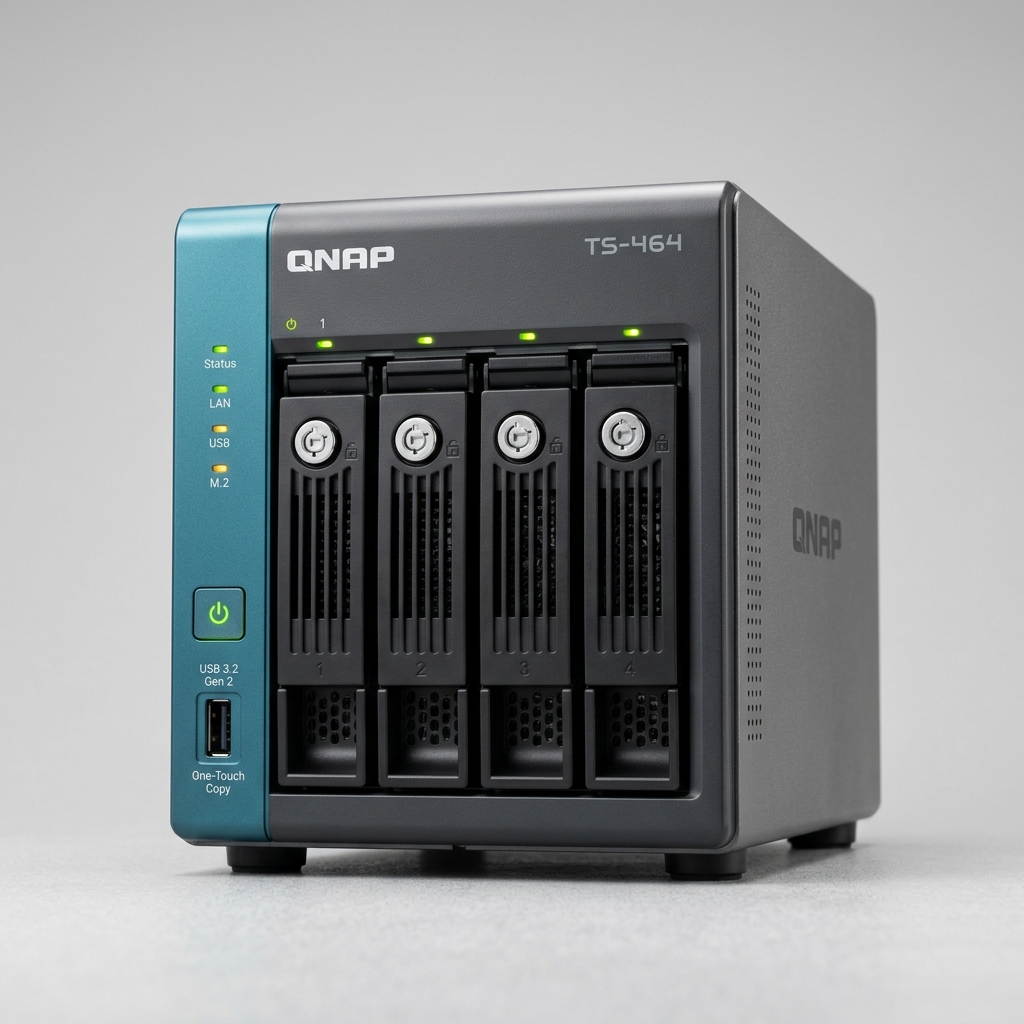
QNAP TS-464-8G
4-Bay Flagship NAS · Intel Celeron N5095 Quad-Core · Dual 2.5GbE · HDMI 2.0
- Drive Bays: 4-Bay Hot-Swappable (Up to 72TB Raw)
- Processor: Intel Celeron N5095 4-Core 2.0 GHz
- Memory: 8GB RAM built-in
- Network Ports: 2x 2.5GbE Ports (Up to 5 Gbps with Port Trunking)
- Expansion: PCIe Gen 3 slot + Dual M.2 PCIe NVMe slots
The QNAP TS-464 is a powerhouse for advanced homelab backup, containerization, and virtualization. Combining a powerful Intel quad-core processor with dual 2.5GbE ports, an open PCIe expansion slot (for 10GbE cards), and an HDMI 2.0 port for direct 4K monitor playback, it gives power users total control over complex multi-tier backup schedules and snapshot versioning.
- • Native dual 2.5GbE ports provide massive local throughput for multiple concurrent users
- • PCIe Gen 3 slot allows future 10GbE network card upgrades
- • Hybrid Backup Sync (HBS 3) offers deep customization for cloud and multi-target replication
- • Runs Docker containers and full lightweight virtual machines seamlessly
- • QTS operating system has a steeper learning curve for non-technical users
- • Firmware requires careful initial security hardening
Transfer Speeds: How Long Does a 100GB Backup Take?
The chart below illustrates real-world transfer times to backup a 100GB data archive over local home network connections:
Time to Transfer 100GB of Photos & System Backups:
How to Implement the 3-2-1 Home Backup Rule
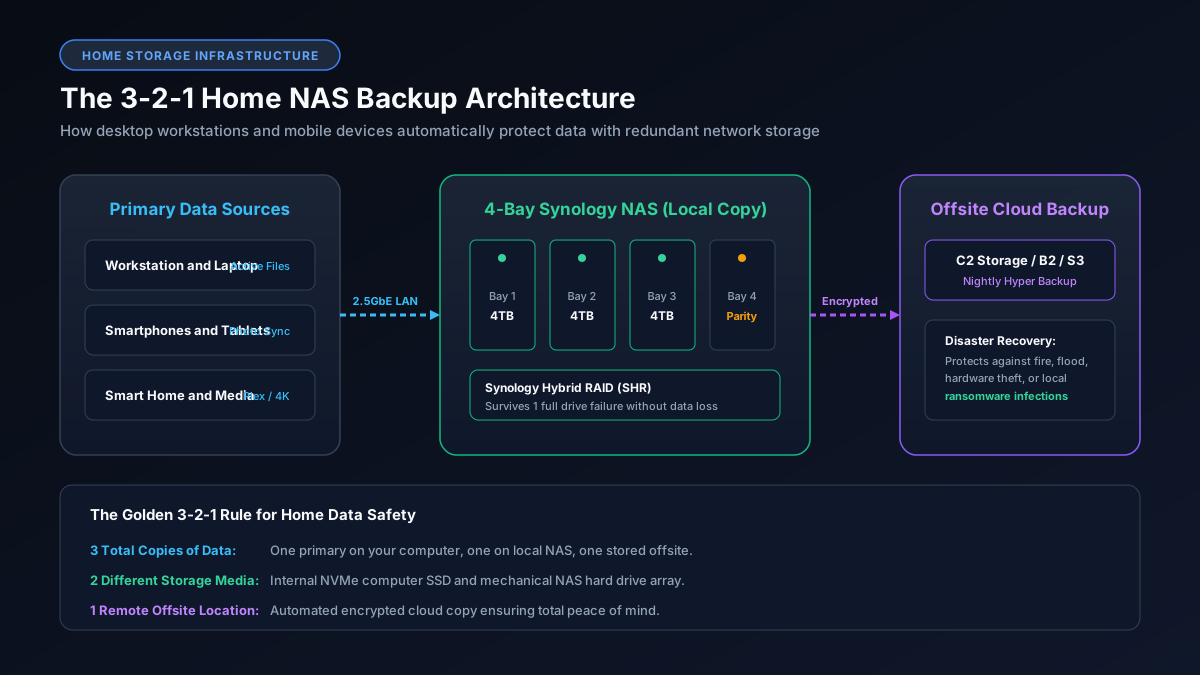
Investing in a NAS is the cornerstone of the industry-standard 3-2-1 data protection strategy:
- 3 Total Copies of Data: Maintain your primary working files on your PC or phone, a secondary local copy on your NAS, and a tertiary copy outside your home.
- 2 Different Storage Media: Keep one copy on internal NVMe/flash storage and the second copy on the NAS's multi-drive spinning CMR hard drive array.
- 1 Offsite Disaster Recovery Copy: Use Synology Hyper Backup or QNAP HBS 3 to automatically encrypt and upload your most critical family photo folders to an offsite cloud bucket (such as Backblaze B2, Synology C2, or Amazon S3 Glacier). If your home suffers fire or theft, your data remains 100% intact.
Check Your Real Transfer Speeds
Calculate how quickly large media libraries and system backups will transfer across your local network and internet connection using our free download calculator.
Calculate Transfer Times