Zoom Data Usage by Call Type
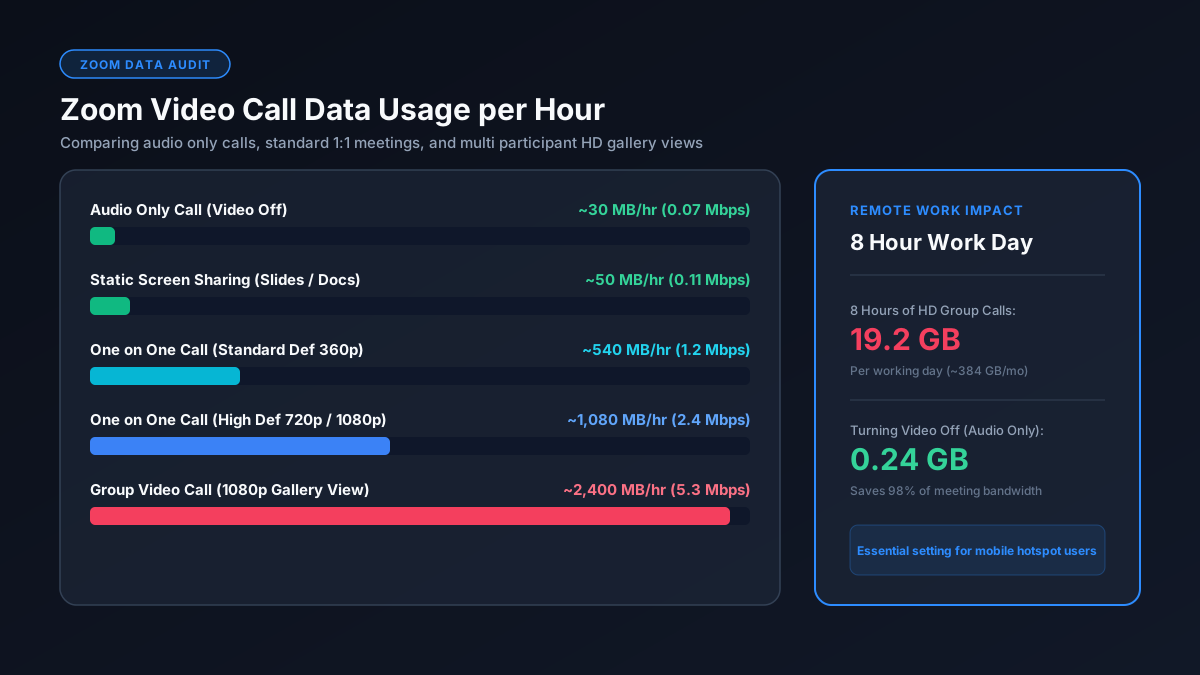
| Call Type | Standard/480p | 720p HD | 1080p (Full HD) |
|---|---|---|---|
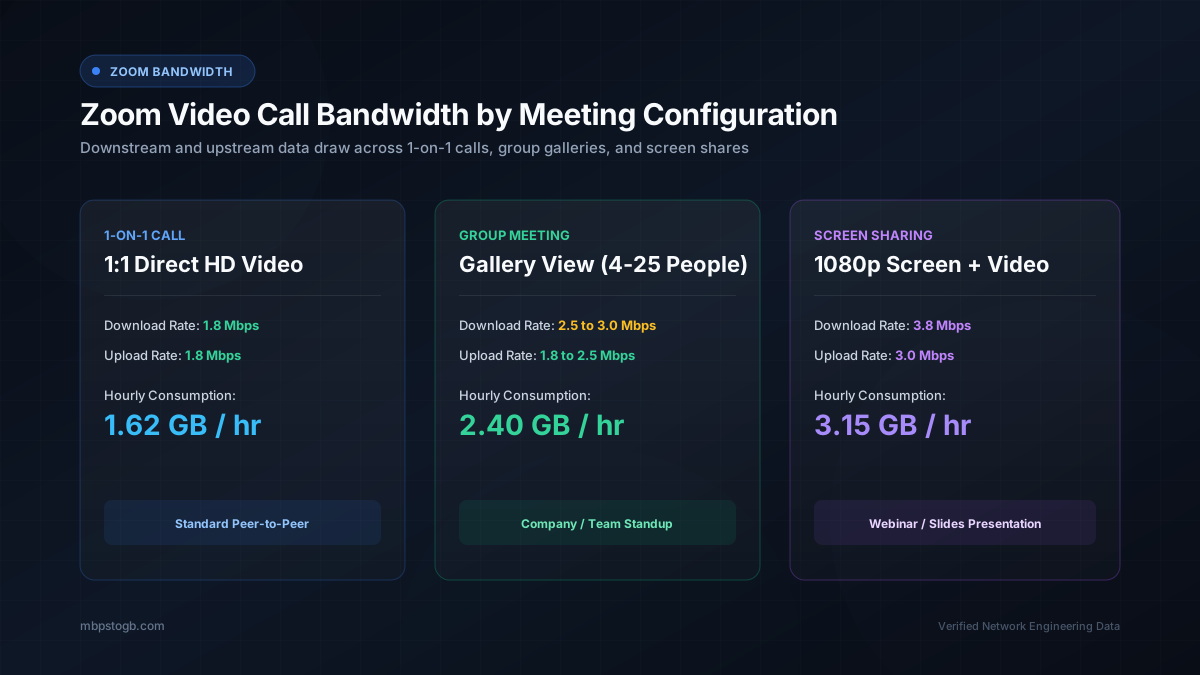
| 1-on-1 video call | ~540 MB/hr | ~1.08 GB/hr | ~1.62 GB/hr |
| Group video call (gallery view) | ~810 MB/hr | ~1.35 GB/hr | up to ~2.4 GB/hr |
| Audio-only (VoIP) | ~27–36 MB/hr | — | — |
| Screen sharing (added on top) | ~22–67 MB/hr | — | — |
Group calls use more data than 1-on-1 calls because your device is receiving a separate video stream for every participant with their camera on — not because the call itself is "higher quality."
Why Group Calls Use So Much More Data
Every additional camera in a group call adds another video stream your device has to download simultaneously. A gallery-view call with 6 people on camera at HD quality is downloading roughly 6x the video data of a 1-on-1 call at the same setting — which is why a long HD group meeting can approach Netflix-level data usage (~2.4 GB/hour) despite being "just a work call."
How to Reduce Zoom Data Usage
- Turn off HD video in Settings → Video — this alone can cut a call's data use by 30–40% with minimal visible quality loss on a laptop screen
- Switch to audio-only when video isn't necessary — this is the single biggest lever, cutting usage by 80–95% compared to video
- Avoid gallery view on mobile data — speaker view (showing only the active speaker) downloads fewer simultaneous video streams than gallery view
- Limit screen sharing of video content — sharing a fast-moving video or animation uses more data than sharing a static document or slide
What Internet Speed Does Zoom Need?
Zoom's own recommendations:
- ~600 Kbps up/down — minimum for 1-on-1 calls
- ~1.5 Mbps up/down — minimum for group calls
- ~3.8 Mbps down / 3 Mbps up — recommended for 1080p HD group video
These are modest requirements compared to video streaming — see our 5 Mbps to GB conversion page for context on how much data a connection at that speed can move per hour, useful if you're checking whether a hotspot or slower connection can handle a work call comfortably.
Zoom vs. Streaming Apps
Zoom's 1-on-1 calls use noticeably less data than HD video streaming, but a long HD group call can rival Netflix or YouTube's per-hour usage. See the full comparison of data usage across Netflix, YouTube, Zoom, and more for the complete picture.